










Remote Mouse & Keyboard can work as an iPhone media remote for Windows PC. Use it for playback controls, volume, keyboard shortcuts, mouse or trackpad control, app launching, system commands, and custom keypads.
Quick Answer
To use iPhone as a media remote for Windows, install Remote Mouse & Keyboard on iPhone, install Remote Helper on the Windows PC, connect both devices to the same Wi-Fi network, then use media controls, keyboard shortcuts, trackpad controls, app actions, and custom keypads.
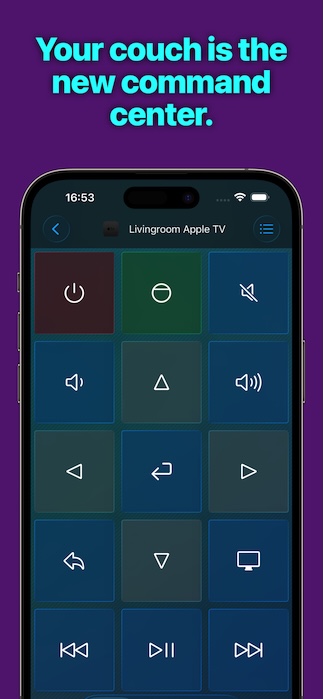
Windows Media Remote Features
- Playback controls for media workflows.
- Volume and common keyboard shortcuts.
- Trackpad and mouse controls for Windows.
- Keyboard input for search, sign-in, and browser fields.
- App launching and app actions.
- System commands such as sleep, restart, and shutdown where allowed.
- Custom keypads for media shortcuts and repeatable workflows.
How to Set It Up
- Install Remote Mouse & Keyboard on iPhone or iPad.
- Install Remote Helper on Windows from rs.ltd/get.
- Connect both devices to the same Wi-Fi network or personal hotspot.
- Open the app and choose the Windows PC.
- Use media controls, keyboard, trackpad, app actions, and keypads.
For keyboard and mouse details, open the input guide. For custom media controls, open the keypads guide.
Good Windows Media Uses
- Control a Windows PC connected to a TV.
- Pause, play, skip, and control volume from the couch.
- Type searches into streaming websites or media apps.
- Launch media apps without a physical keyboard nearby.
- Create custom keypads for repeatable media shortcuts.
Windows Media Remote FAQ
Is this only for media apps?
No. The app also includes trackpad, keyboard, app launching, system commands, and custom keypads.
Can I use it for a Windows home theater PC?
Yes. It is well suited for Windows PCs connected to TVs or projectors.
Is internet required?
No. Local control works over a shared Wi-Fi network or personal hotspot.