










Remote Mouse & Keyboard turns iPhone or iPad into a Mac mini remote control for couch, desk, studio, and home theater setups. It works over your local network with the free Remote Helper app installed on the Mac mini.
Quick Answer
To control Mac mini from iPhone, install Remote Mouse & Keyboard on iPhone, install the free Remote Helper app on the Mac mini, connect both devices to the same Wi-Fi network, then pair from the app. You can use iPhone as a trackpad, keyboard, media remote, app launcher, system command panel, and custom shortcut controller.
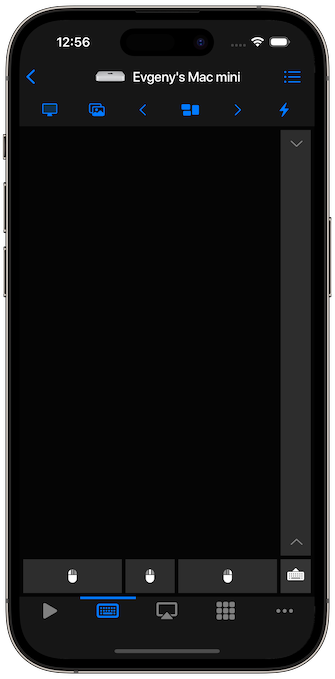
Mac mini Remote Features
- Trackpad and mouse control from iPhone or iPad.
- Keyboard input for search, passwords, browser control, and text fields.
- Media controls for video, music, and browser playback.
- App launching and app actions.
- System commands such as sleep, restart, and shutdown where allowed.
- Custom keypads for shortcuts, AppleScript, and repeatable workflows.
- Siri Shortcuts and timers for supported actions.
How to Set It Up
- Install Remote Mouse & Keyboard on iPhone or iPad.
- Install Remote Helper on the Mac mini from rs.ltd/get.
- Connect both devices to the same Wi-Fi network or personal hotspot.
- Open the iPhone app and choose the Mac mini.
- Use trackpad, keyboard, media controls, app actions, and keypads.
For connection help, open the connection guide.
Mac mini Use Cases
- Control a Mac mini connected to a living-room TV.
- Type into streaming apps, browsers, search fields, and login forms.
- Control playback from the couch.
- Launch and quit Mac apps without a physical keyboard nearby.
- Use custom keypads for automation and shortcuts.
Mac mini Remote FAQ
Does it work if the Mac mini has no keyboard or mouse attached?
Yes, after the helper is installed and the Mac mini is reachable on the local network. You may need a keyboard or mouse for the initial Mac setup.
Can it wake a Mac mini?
Wake support depends on Mac settings and network state. Use the Wake on LAN toggle where supported.
Can I see the Mac mini screen on iPhone?
The app includes Live View for seeing the computer screen on the device when permissions and settings allow it.