










Remote Mouse & Keyboard can turn iPhone or iPad into a remote keyboard, trackpad, mouse, and media controller for a Windows PC. It is useful for living-room PCs, presentations, media playback, and quick typing when a physical keyboard is not nearby.
Quick Answer
To use iPhone as a remote keyboard for Windows, install Remote Mouse & Keyboard on iPhone, install the free Remote Helper app on the Windows PC, connect both devices to the same Wi-Fi network, then pair from the app. You can type, move the mouse, use media keys, launch apps, run system commands, and use custom keypads.
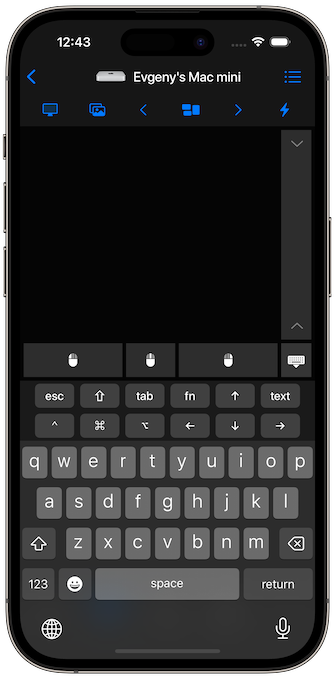
Windows Remote Keyboard Features
- Full keyboard input from iPhone or iPad.
- Trackpad and mouse controls for Windows.
- Media controls for playback, volume, and common shortcuts.
- App launching and app actions.
- System commands such as sleep, restart, and shutdown where allowed.
- Custom keypads for repeatable shortcuts and workflows.
How to Set It Up
- Install Remote Mouse & Keyboard on iPhone or iPad.
- Install the Remote Helper app on Windows from rs.ltd/get.
- Connect the iPhone or iPad and Windows PC to the same Wi-Fi network or personal hotspot.
- Open the app and choose the Windows PC.
- Use keyboard, mouse, media controls, app actions, and keypads.
For connection help, open the connection guide. For detailed keyboard and mouse controls, open the input guide.
Good Windows Use Cases
- Control a Windows PC connected to a TV.
- Type into a PC from the couch.
- Run presentations without standing at the computer.
- Control video, music, or browser playback.
- Trigger shortcuts with custom keypads.
Remote Keyboard for Windows FAQ
Is this a Bluetooth keyboard?
No. The app uses the local network through the Remote Helper app. Use the same Wi-Fi network or a personal hotspot.
Does it work without internet?
Yes. A shared local network or hotspot is enough for the remote connection. Internet is not required for local control.
Can I use it as a Windows mouse too?
Yes. The app includes both remote keyboard and trackpad or mouse controls for Windows.